



Level114
3.9M
XP
2,773
XP to level 115
- Kills 34,723
- Deaths 18,256
- K/D1.90
- Hours 9
- Rounds 1,272
- Skill 0
This week
Since October 27- 0 kills
- 0 XP
- 0 rounds
No games played this week yet.
Server rank
of 130,481 playersRivals
Arsenal
22,881 melee killsFavourite maps
-
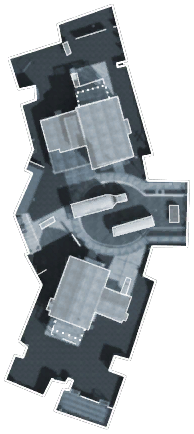 Most played Nuketown 136 rounds · 3,745 kills
 -
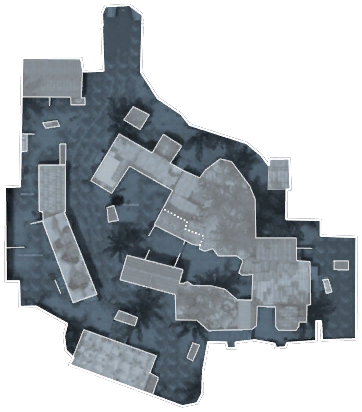 Firing Range 102 rounds · 3,267 kills
 -
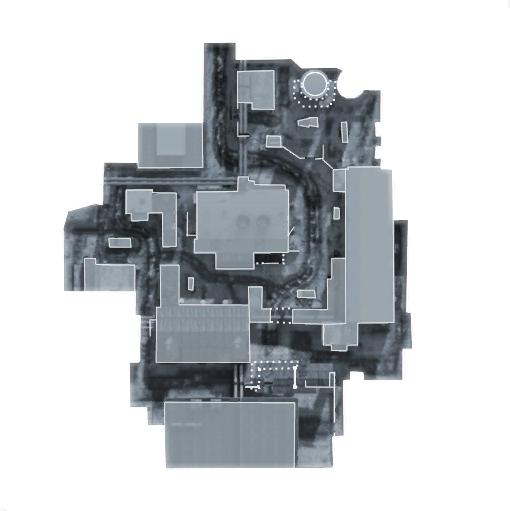 WMD 91 rounds · 2,591 kills
Favourites and record
- Favourite class
- Class of the Week
- Favourite skin
- Arlington
- Best kill streak
- 35
- Worst death streak
- 23
- Points
- 0
- Visits
- 307
- Suicides
- 2,884
- Record
- 6 warnings · 6 kicks · 1 ban
Trends
Week by week
Last 26 weeksKillsDeathsK/D (right axis)
Career
Kills per monthScroll horizontally to view more columns.
| Type | Admin | Duration | Reason | Added | Expires |
|---|---|---|---|---|---|
| Warning | ZAMb3 | 1 minute | You are not allowed to talk | ||
| Warning | ZAMb3 | 1 minute | You are not allowed to talk | ||
| Warning | ZAMb3 | 1 minute | You are not allowed to talk | ||
| Warning | ZAMb3 | 1 minute | You are not allowed to talk | ||
| Warning | ZAMb3 | 1 minute | You are not allowed to talk | ||
| Warning | [COD]zkciuqisuriiv | 1 hour | Was in my way [blocked me] and caused my death. | ||
| Kick | ZAMb3 | — | You are not allowed to use [UU] as your clan tag. | — | |
| Kick | ZAMb3 | — | You are not allowed to use [UU] as your clan tag. | — | |
| Kick | ZAMb3 | — | You are not allowed to use [UU] as your clan tag. | — | |
| Kick | ZAMb3 | — | You are not allowed to use [UU] as your clan tag. | — | |
| Permanent ban | ZAMb3 | Permanent | Advertising is NOT allowed! | — | |
| Kick | ZAMb3 | — | BANLISTED [ZAM - Global bans] 173.49.171.70 | — | |
| Kick | ZAMb3 | — | You are not allowed to use [UU-K] as your clan tag. | — |