Skip to content

VIP

$10 excl. VAT

VIP offers grant you access to VIP classes as well as the VIP starting loadout.
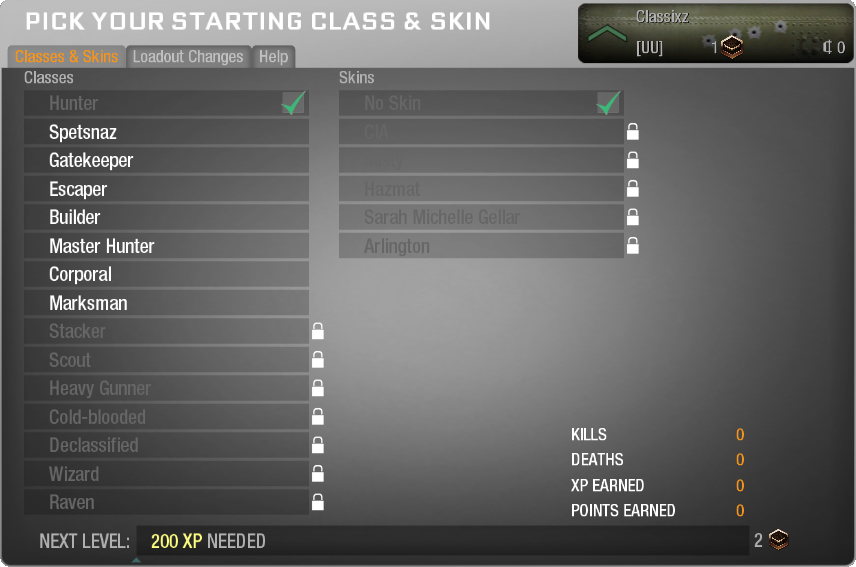
vip-classes.png

Classes available on ZAM:

  • Hunter (Level 1 or vip_headicon_new_store.png.80a8f57d9a841/ mvp_headicon_new_store.png.3e88a213650c0)
  • Spetsnaz (Level 5 or vip_headicon_new_store.png.80a8f57d9a841/ mvp_headicon_new_store.png.3e88a213650c0)
  • Gatekeeper (Level 10 or vip_headicon_new_store.png.80a8f57d9a841/ mvp_headicon_new_store.png.3e88a213650c0)
  • Escaper (Level 20 or vip_headicon_new_store.png.80a8f57d9a841/ mvp_headicon_new_store.png.3e88a213650c0)
  • Builder (Level 40 or vip_headicon_new_store.png.80a8f57d9a841)
  • Master Hunter (Level 55 or vip_headicon_new_store.png.80a8f57d9a841)
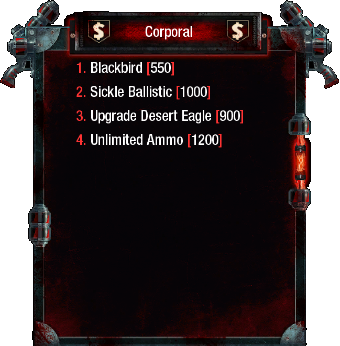
  • Corporal (Level 80 or vip_headicon_new_store.png.80a8f57d9a841)
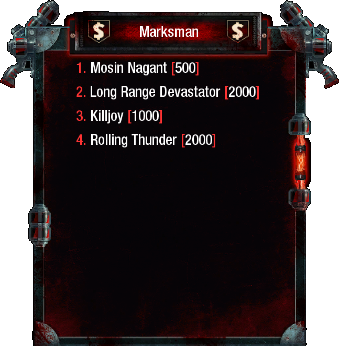
  • Marksman (Level 100 or vip_headicon_new_store.png.80a8f57d9a841)
  • Stacker (Level 125 or mvp_headicon_new_store.png.3e88a213650c0)
  • Scout (Level 150 or mvp_headicon_new_store.png.3e88a213650c0)
  • Heavy Gunner (Level 175 or mvp_headicon_new_store.png.3e88a213650c0)
  • Cold-blooded (Level 200 or mvp_headicon_new_store.png.3e88a213650c0)
  • Declassified (Level 225 or mvp_headicon_new_store.png.3e88a213650c0)
  • Wizard (Level 250 or mvp_headicon_new_store.png.3e88a213650c0)
  • Raven (Level 255 or mvp_headicon_new_store.png.3e88a213650c0)

When playing as a survivor, VIP also allows you to change your loadout.vip-loadout.png
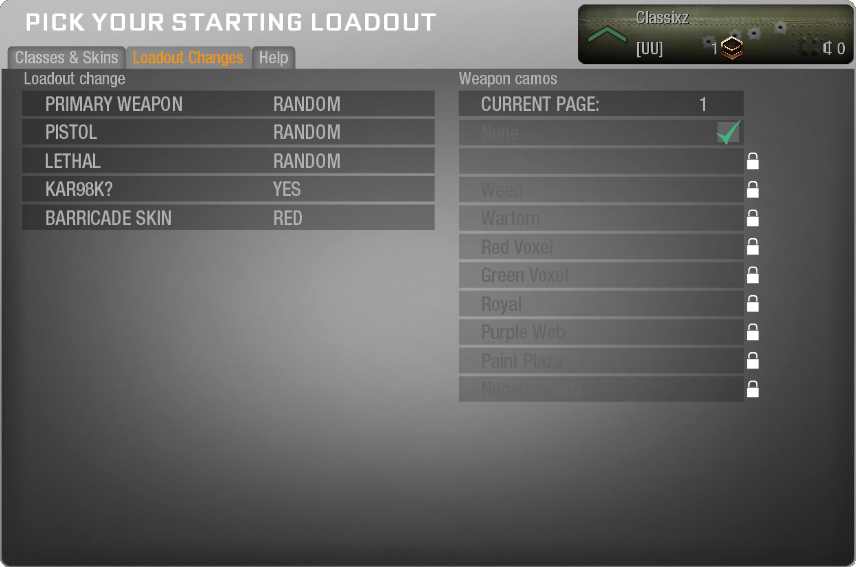
Primary Weapons Pistols Lethals

MPL

MP5K

Skorpion

UZI

Kiparis

Spectre

AK74U

Olympia

ASP

M1911

Makarov

Desert Eagle

Mauser

B23R

Frag

Semtex

Optional Weapon:

  • As a VIP you are able to also add Kar98k to your loadout.

Barricade Skins:

  • Red
  • Blue

Finally, you will be given the VIP headicon, which will be shown above your head to all other players.
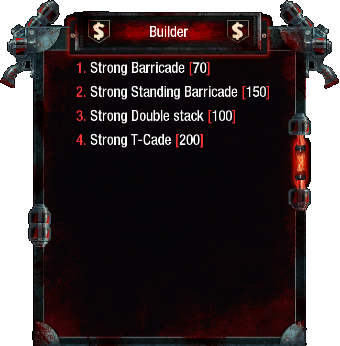
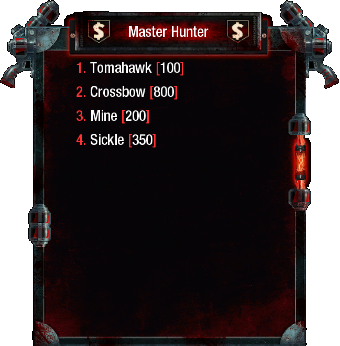
 

vip-builder.pngvip-master-hunter.pngvip-corporal.pngvip-marksman.png

  • Buying for yourself? Your linked Steam account is filled in automatically. To buy for someone else or continue without linking Steam, remove it and search by game name (at least 3 characters), or enter a SteamID64, XUID or @player ID. Select the correct profile ID when names are similar. This recipient receives the game benefits.

Account

Navigation

Search

Search

Configure browser push notifications

Chrome (Android)
  1. Tap the lock icon next to the address bar.
  2. Tap Permissions → Notifications.
  3. Adjust your preference.
Chrome (Desktop)
  1. Click the padlock icon in the address bar.
  2. Select Site settings.
  3. Find Notifications and adjust your preference.