Zedricht
Users
-
Joined
-
Last visited
Everything posted by Zedricht
-
This guy is so annoying with these post..Idk why he don't get banned from here..
-
You can leave but you will be banned..just play and when they will be zombie you camp.
-
Set autoban lololololo
-
Aggre with Indy
-
Lol if you see him just ban him for insulting ya
-
Thank you guys:) I think I wil re-install my pc and buy 8 GB ram or SSD:) And I used the Razer game booster but didn't helped a lot..I'll try the configs too:) Then, I'll use the 32 bit and not the 64 bit too:)
-
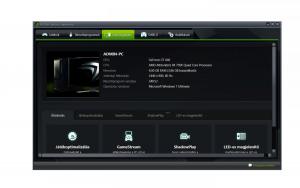
Hey guys:) I have a questions for you:) As some players know nowadays I lagg like a shit..idk why.. Maybe the problem is, How my FPS drops all the time (from 90-100 to 20-30) I bought my pc about 450$ And I think it's so bad thing. There is the type of my pc.
-
Help me guys to fix it..(If it's possible)
-
-
I bought my pc about 90.000HUF(450$) and..It was good for 1 months..and now? I lagg like a shit :mellow:
-
Camel:D
-
-
This is why you are an UU-K member:) Gj:)
-
It's not anoying if you are zombie:D But sad if you are a hunter
-
Not the best lol
-
I was in Montenegro, Slovakia, Bulgaria, Germany and I live in Hungary..
-
More class/streaks have been added?
-
So good.
-
We should get a new rule..(example:If more than 5 survivers you can do the "glitch" but if less than 5 you will be banned)So it wouldn't be so OP.
-
I think we don't need Cold Blooded..maximum 3-4 player use this class..
-
Class name: Knifer [MVP] Special 1: Bowie knife [300] Special 2: Speedoo [250] Special 3: Cash [500] (You get +100 pts with knife kill) Special 4: Lightweight [1000] (Run faster with/without speedoo)
-
-
Indy said how not..cause nobody play on the old knife server
-
Hmmm..maybe 5-6 skill but I said: I need to learn
-
I think, the MPVs get multiple attachments, Vips get random attachments.